Showing posts with label BizTalk 2010. Show all posts

Sunday, August 19, 2012

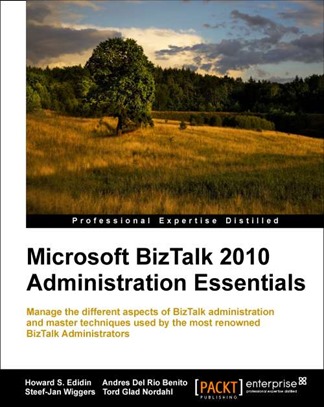
Microsoft BizTalk 2010 Administration Essentials

Our book is available for pre-order at PackT.

Release Date : November 2012

6389EN_mockupcover_normal_0

Overview

  • First BizTalk book that is completely oriented for System Administrators
  • Covers combined experiences of many renowned BizTalk Administrators from all around the world
  • Written in clear concise step-by-step style and includes real world issues and solutions

Monday, June 11, 2012

Not just a BizTalk Anti-Pattern

This is a follow up to my last BizTalk Anti-Pattern post

This is primarily for the Technical Recruiter.

My last contract was mutually terminated. I had worked for this client architecting their BizTalk 2006 R2 / ESB 1.0 EAI implementation.  I was contracted to architect their migration to BizTalk 2010.

There was a disconnect between what the client expected and what a BizTalk Architect role does.

After I completed their 2006 R2 / ESB implementation, the client had cloned the ESB 1.0 and deployed it on web servers. Not only did they duplicate the Itinerary functionality, but they customized it. They created their own custom core components and pipeline components.  

I won’t go into the details (saving these for the Anti-Pattern List). One of my tasks was to help the developers migrate their custom ESB Web Application to ESB 2.1.  All their tests were failing.  I was expected to help their developers. 

It would benefit everyone if you would ask the client for explicit details on what they expect of a role.  The client would rely on you more often to find the right person for the job..

A good source that describes the BizTalk Architect Role can be found on the TechNet Wiki.http://social.technet.microsoft.com/wiki/contents/articles/6243.biztalk-roles.aspx#BizTalk_Architect

If you search the TechNet Wiki http://social.technet.microsoft.com/wiki/, you should be able to details on other roles.

Saturday, April 14, 2012

BizTalk Server 2010 Cookbook

It’s about time someone authored a BizTalk Cookbook that all BizTalk Roles could relate to. Most BizTalk 2010 books have been geared towards developers only.

I had ordered this book several months ago and just received my copy yesterday. I hadn’t had a chance to read the book in depth. Normally I look at the table of contents and just read the chapters that interest me. I found this book a little different; all the chapters included sections that sparked my interest.

The author, Steef-Jan Wiggers is considered to be one of the top BizTalk experts in the world. He is well known and widely respected for his contributions to the BizTalk Community. He is a MVP for BizTalk, a distinction not easily earned.

Unlike most cookbooks, in which the chapters do not follow a pattern, I found that the recipes read much like tutorials. Steef-Jan has included sample code for each chapter.

Once I have time to thoroughly read the book and work through some of the samples, I will continue this review. From what I have seen so far, this book is a “must buy” for anyone involved with BizTalk. As I mentioned previously, this book is not only geared for BizTalk Developers.

The book is available from Amazon or from PackT.

Saturday, February 25, 2012

The BizTalk Bad Practices List

BAD PRACTICES


The List of “Bad Practices” for Designing, Developing, and Administering BizTalk / ESB Solutions

Since I specialize in providing Guidance and Training for companies implementing BizTalk, I have run into many situations where the client has already started designing and developing BizTalk Applications. Several have done so without any formal training or direction.

There have been many articles and blog postings about “Best Practices” and I thought we needed one about “Bad Practices”. Simply stating that this is a bad practice doesn’t mean anything. There is needs to be a reason why. And the best way to do this is provide real-life* scenarios I have experienced.

The "Bad Practices" in this list are not in order of importance. I have decided to append each one to this post rather than create a separate post for each one. I plan on adding a new "Bad Practice" once or twice a week.

If anyone has a particular "Bad Practice" they would like to share, please add it into a comment.


The List of “Bad Practices”

Start designing your ESB Itineraries first

The client had decided that they needed an ESB to send data from SharePoint to a Data Repository.
I don’t believe that they fully understood the capabilities of BizTalk 2010 and how the ESB Toolkit 2.1 is used.
Apparently they had no actual experience in architecting and designing BizTalk / ESB Solutions.
They did have quite a bit of experience and knowledge in architecting .NET Applications and WCF Services.

Having read all about the use of Itineraries in the ESB Toolkit 2.1, it was decided that their newly trained
and inexperienced Lead BizTalk Developer would develop a framework of Itineraries for routing messages,
that could be reused. The inexperienced developer simply took the samples included with the ESB Toolkit
and “adapted” them. The developer was told  that Itineraries would be designed first.

At this time they had no requirements for BizTalk Applications.

To add fuel to the fire, it was dictated that they would use SCRUM for all projects. The BizTalk Developers would
develop their Itineraries in multiple sprints.

Notice that there has been no reference to designing BizTalk Applications.
 

Using the Generated Operations Name for the Action (SOAP Action Header)

from a WCF LOB Adapter

A BizTalk developer was using the WCF LOB SDK to generate a WCF LOB SQL Adapter service to perform
several CRUD Operation on database tables.

The developer built the application, deployed it, and imported the generated bindings. The section showing the
Operations is shown below.
binding
The Bindings for the SOAP Action header is shown below.
soapaction
The developer needed to create an Orchestration to consume the service. He created a new BizTalk Project
with an Orchestration. The Orchestration was to be used to Insert data into two tables He then added a new Request/Response Port with two operations as shown below.
orchports1 insert1insert2
If you compare the difference between the WCF LOB Service Operations names and what the developer used
for the Port Operations Names you will notice that they do not match.

After deploying the Orchestration the developer, he then tried to test it. An Insert Request Message was sent to
the WCF Service. He did not receive an Response Message.

After checking the Applications Event Log, he discovered that he had an invalid type error. He came to me for
help and we discovered he had misnamed the Operations on the WCFLOBPort in his Orchestration.

The issue here is that both the Operations Name in the Bindings and the Operations Name for the Orchestration Port must be the  named the same.

Recommendation:

Naming your Port Operations so you can easily identify them in the

Orchestration is a good practice. You will need to modify the Operation

Name for the Action on your port to match.

Using the generated “Insert1”, “Insert2”, “Select1”, etc. makes it difficult

to identify, especially when you could have multiple Select, Insert, Update,

and Delete Operations within an Orchestration.


Using ADO.Net instead of SQL Stored Procedures for CUD Operations
within an Orchestration

A client wanted to promote the reuse of WCF LOB SQL Adapter services. It was decided that they would use
separate Stored Procedures for Create, Update, and Delete operations. They didn’t want the Stored Procedures
to contain any business logic.


There was a requirement to:

  1. Insert a record into a table
  2. Return the identity for the record
  3. Insert the a record along with the identity into another table
  4. Repeat for a few more tables.
They wanted to handle this within an Orchestration.

I told them that they needed to validate each operation within a Scope and if any operation after the initial Insert
failed, they would need to use the Delete Operations for Compensation.

I suggested a better way to handle it was to create a Stored Procedure with a Transaction to handle all the
operations. This way they would be able to eliminate the need for an Orchestration.

They didn’t like the idea of putting this “business logic” in a Stored Procedure. It didn’t fall in with their overall
Architecture.

Their Architect decided that using ADO.Net classes was a better way to solve the problem. They could call these
from within an Orchestration.


Spending the entire budget for BizTalk Development and leaving nothing
for Administration and Operations

A former client decided that they wanted to use BizTalk 2010 for their Messaging Solution.

They had very little exposure to BizTalk 2010. They decided that they would need to train their .NET developers
on BizTalk Development. They decided the best way to do this was to being in a qualified BizTalk Training
provider.

At first, they had planned on training five developers. Someone came up with the idea that
it would be worthwhile for all their architects and other developers go through the same training.

Can you imagine what the cost was for several weeks of training…?

Prior to my starting with the client, they had migrated several HL7 feeds from their legacy system to BizTalk.
The legacy system administrator became the BizTalk Administrator. They had also contracted for an experienced
BizTalk Administrator who had HL7 experience.

Their BizTalk Administrator had done an excellent job of installing and configuring their production environment.
IMO, this was the first good decision the client made.

They had sent their BizTalk Administrator for a week of training. It was my job to continue his training and
guide him on the administration and operations tasks necessary for an enterprise BizTalk 2010 infrastructure
I recommended that they implement SCOM 2007 R2 or another third-party tool to monitor their
BizTalk infrastructure. We were told us that they ran out of budget money

I suggested that they create a VM, so the BizTalk Admins could learn how to use SCOM and to
evaluate other monitoring tools. Again, they ran out of budget money for another VM.

It seems that all the architects and developers were provided with a VM and they did not have the
resources to create one for the BizTalk Administrators.


To be continued…


Thursday, December 22, 2011

Using the Community ODBC Adapter from TWOCONNECT

BizTalk 2010 does not have an adapter for every Data Resource. We have a choice of either purchasing an Adapter, creating our own by using the WCF LOB SDK, or using the Community ODBC Adapter provided by TWOCONNECT

TWOCONNECT has updated the open source ODBC Adapter made on GotDotNet several years ago, to work with BizTalk 2010. It has been updated to support the Net 4.0 Target and the Install Folder Path has been fixed for 64 Bit Systems.

According to TWOCONNECT:

  • It has support for creating two way operations
  • Can no longer be configured on a Request/Response Port
  • Poll While Data Found option on Receive Location is supported.
  • Performance Counters and Event Source created at install time.
  • No longer requires Administrator rights at Runtime

The adapter does have limitations and issues:

  • When using Insert, Update, or Delete Table Operations, there is no return value. It only supports a one-way operation.
  • You cannot use Output parameters in Stored Procedures

To demonstrate the use of the Adapter, I have created three scenarios.

  1. Request\Response operation using a Select from a table.
  2. Request operation using an Update on a table.
  3. Request\Response operation using a stored procedure

For the scenarios, we are going to use SQL 2008 R2 Server Database as our ODBC Source.

Before we can use the Adapter we need to install it.

Installation and Configuration

Installation is fairly straight forward

image


We will have to manually add the Adapter to our BizTalk Environment as shown below:

image


We start off with creating a new 32 Bit Host and Host Instance as shown below:

image


We then assign our ODBC Host Instance to the ODBC Adapter’s Send and Receive Handlers as shown below.

Assign our ODBCHost to Send Handler

image


Assign ODBCHost to Receive Handler

image


Setting our ODBC Data Source

Assuming that our BizTalk 2010 Environment is 64 bit, we will need to use the odbccad32.exe, which is located in C:\Windows\SysWOW32, to create your ODBC Data Source.

image


We create a new System Data Source as shown below

image


Clicking “Add” starts the Configuration Wizard.

Enter a name for our Data Source.

Select our SQL Server.

image


Click “Next” until you get to the page show below.

image


Check the “Change the default database to:” and select our PurchaseOrders Database.

Click “Next” again.

We can review our configuration as shown below.

image


Click on “Test Data Source” to test our connection as shown below.

image


If we configured everything correctly, we will see the results as show above.

Scenarios

Request\Response operation using a Select from a table

Open Visual Studio 2010 and create a new BizTalk Application. Name it “ODBC_Sample”.

1. Next we will use the “Add Adapter Metadata Wizard” to generate our schemas and orchestration as shown below.

image


2. Select the ODBC Adapter as shown below:

image


3. Click “Next”.

4. Then enter our Target Namespace, Request and Response element root names as shown below.

image


5. Click “Next”.

6. We will be doing a simple Select Statement. Select “SQL Script” and click “Next” as shown below

image


7. On the Statement Information page, we set the “Query Type” to Select.

8. Next we will enter our Select Statement as shown below.

image


9. Next Click “Generate”.

After a few seconds you will see two schemas and an orchestration in your project folder.

image


10. Since we did a Select without a where clause, our generated schema is generic as shown below.

image


11. The Response Schema contains all the fields from our table.

image


12. Looking at the Multipart Message Types, we can see that there is a problem with the Multi-part Message Types. (This is one of the issues in the Adapter)

13. To correct this, we will need to re-assign the schemas to the Message Type.

image


14. Another issue is that there are two ports created instead of one as shown below.(This is also an issue with the adapter).

image


15. The solution to this issue is to delete the ODBCRequest and ODBCResponse Port Types and create a new Request-Response Port as shown below.

image


image


16. Next we need to add our Inbound Message. We are using the Request Message generated by the Adapter Wizard.

image


17. The following is our Port Binding.

image


18. The completed Orchestration for our first demo is shown below.

image


Request operation using an Update on a table.

We will need to repeat Steps 1 – 5 .

6. In order to do an Update, we need to manually enter our Update Query into the Query Editor as shown below

image


7. Before we click on “Generate”, we need to check the “Override default query processing” If we omit this step, all of our Input Parameters will default to an NVarChar Data Type with a field size of 1. We would have to start all over again with Step 1.

image


8. We have to select each Parameter and set its Type and Field Size. Setting the Sample Data value is optional.

image


9. Once completed we click on “Update Command”.

image


10. This brings us back to the Schema Generation page.

11. We can now click on “Generate”.

image


12. This time we have one Schema and an Orchestration generated.

We also have the same issue with Multi-part Message Types.

13. We need to set the Message type to the correct schema

image


14. Our generated schema is shown below

image


image


15. As you can see the correct data types are set for each parameter.

image


17. Our Orchestration is similar to our first demo, the only exception being a Send Port instead of a Send\Receive

Update Orchestration


Request\Response operation using a stored procedure


1. We create a new stored procedure as shown below.

image


2. Next we must follow Steps 1 - 5 as in the previous demos.

3. On the Statement Type page , we will select Stored Procedure.

4 On the Statement Information page, we enter its name as shown below.

image


5. Click “Generate”

image


6. This generates two schemas and an orchestration as shown below.

image


Our Request Schema

image


image


Our Response Schema

image


We still have the same issue with the Multipart Message Types.

7. We set the correct schemas again.

image


8. Two Port Types are created. We need to delete these and create a new Request/Response Port.

image


9. Creating our new Request/Response Port

image


10. We are sending a Request and Receiving a response

image


11. Our new Request\Response Port as show below.

image


12. Next we create our Orchestration as shown below.

image


Because we are using a Stored Procedure that returns a value, we can add Exception Handling. In this case we are validating the result and throwing a System.Exception if the Stored Procedure returns an Error Code.

Deployment

We will need to create two Send Ports, a Static Request-Response for our Select Table Operation and Stored Procedure Demos, and a Static Request Port for our Update Table Operation.


Creating Ports for the ODBC Adapter

1. Open the BizTalk 2010 Administration Console and add a new Application called “ODBC Test” as shown below.

image


2. After deploying our demos, we need to configure a Static Solicit-Response Send Port as shown below.

image


3. Since we are using Windows Authentication for our ODBC Data Sources, we uncheck “Include UserID and Password” as shown below.

image


4. We select our Data Source Name and click “OK”.

5. Our ODBC Transport Properties are set as shown below.

image


6. We will also need to create a static one-way port a shown below.

image


7. We configure the Send Port by setting our Connection String.

8. We then click on the Connection String button.

image


9. We select our ODBC_Test Data Source as shown below

image


If our ODBC Data Source supports Transactions, you can select from the “Transaction type to be applied” list as shown below.

image


10. In the case of our scenario, we will leave it set to the default “None”

.image


11. We will need to create a Receive Port and Location using the File Adapter for each Orchestration

12. We then Bind our Orchestrations to our new Ports and our ready for testing.


Summary

  • We have leaned about the capabilities and limitations of the Community ODBC Adapter.
  • We have learned about the Port Types and Multi-part Message Types issues and how to resolve them.
  • We have walked through three different Design Time scenarios on using the Adapter.
  • We have learned how to configure our Ports for the Adapter
Technorati Tags: ,,